The short answer
Knee pain at a standing desk almost always comes from locking your knees and standing still, not from standing itself. A locked knee transfers load straight through the joint instead of through the muscle around it, and holding any one position for an hour does the rest. The first two fixes cost nothing: keep a soft bend in the knee, and change position every few minutes. If that is not enough, the next thing to check is desk height — a surface set too high pushes you onto your toes and locks the leg for you — and after that, a contoured mat that makes standing still difficult.
The short answer
The order matters. People tend to buy the mat first and fix the posture never, which is backwards: the mat helps most once you have stopped locking out, and barely at all while you are still doing it.
1. Locked knees
A locked knee is a joint carrying the load on its own
With the knee fully extended and pushed back, your body weight passes through the joint structures rather than being carried by the quadriceps and glutes. It feels like resting. It is the position that aches an hour later.
The correction is a soft bend — a few degrees, not a visible squat. If you catch yourself locked, unlock and shift your weight. Most people lock out within a minute of stopping thinking about it, which is why the next cause matters as much.
2. Standing still
Standing is not the problem; standing frozen is. Holding one posture keeps the same muscles loaded continuously and slows the return of blood from the legs, which is why the ache builds gradually over hours and eases the moment you move.
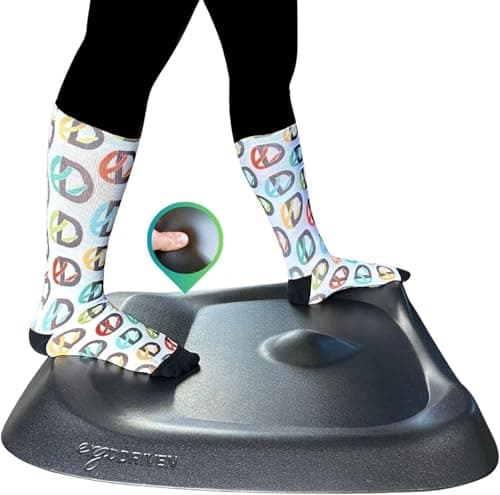
This is the same mechanism behind standing desk foot pain, and it has the same answer: build movement into the position rather than trying to remember to move. A contoured mat does that by being deliberately uncomfortable to stand still on.
3. A desk at the wrong height
A desktop set too high lifts your shoulders and tips you forward onto the balls of your feet, and a body on its toes locks the knee to stay balanced. The fix is not the knee; it is the desk.
Set the surface so your forearms are level with your elbows at roughly 90 degrees, with your weight through the middle of the foot. The height calculator gives you the number in about thirty seconds, and the posture guide covers the rest of the position.
The fix order
- Unlock the knees. Free, immediate, and the single biggest change.
- Shorten the blocks. Alternate before it hurts rather than after — how long to stand covers what the evidence supports.
- Check the desk height. Free, and it fixes the cause rather than the symptom.
- Add a contoured mat. Terrain gives your feet somewhere to go, which keeps the legs moving without you having to think about it.
- Add a perch stool if you want a third position between sitting and standing — chair versus stool.
From the picks
If the first three did not do it
Best overall standing mat
A deliberately not-flat mat: the mounds and calf shelf exist to stop you standing still, which is the actual cause of standing-desk foot pain. Backed for sixteen years.
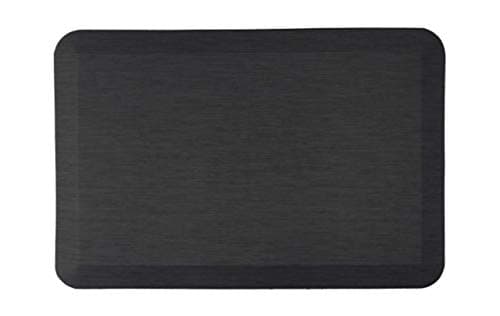
The flat mat to buy when a chair has to roll across it or a contoured mat is overkill. Three-quarter-inch polyurethane core, lifetime guarantee, beveled edges that do not curl.
When it is not the desk
Pain that is sharp rather than achy, pain in one knee only, swelling, locking or giving way, or pain that persists when you are not standing, is not a desk-setup question. Talk to a doctor or a physical therapist about it — nothing on this page is medical advice and nobody here holds a clinical credential.