Deskstance

Standing Desks · Our picks

The Best Standing Desk Frames

A frame-only purchase lets you put a slab you actually want on top of the part that does the work. The catch is that almost nobody sells the good frames without a desktop attached.

By Mike M.Updated How we pick
#ad

We earn a commission if you buy through our links, at no extra cost to you. It never decides the ranking — the method is published · Affiliate disclosure

The short answer

Quick picks

#ProductBest forScorePrice
1
UPLIFT Desk V3 Standing Desk Frame

355 lb, three-stage, and a 15-year warranty that names motors and electronics rather than only the steel.

Best frame you can buy bare9.1 /10Check price · UPLIFT Desk
2
UPLIFT Desk V2 Standing Desk Frame

A 50.1" ceiling on the standard V2 — the highest frame we rank anywhere, and the one the owner here works at.

Best reach, while stock lasts9.0 /10Check price · UPLIFT Desk
3
FlexiSpot E6Q Premium 4-Leg Standing Desk 72" x 30"

Removes the unsupported span entirely, but FlexiSpot only sells this frame with a top already on it.

Best four-leg frame7.5 /10$969.99Amazon

#ad · Prices come live from the retailer, last checked October 11, 2026. Scores are ours, compiled from published specs, manuals and warranty terms. Tap a row for the full write-up.

The short answer

The UPLIFT V3 is the best standing desk frame you can buy on its own: three-stage legs with a synchronized motor in each one, 355 lb of lifting capacity, a 22.6 to 48.7 inch range UPLIFT says fits over 95% of users, and a 15-year warranty whose text names the desktop, frame, motors and electronics. If you want more ceiling than that, the outgoing V2 reaches 50.1 inches and UPLIFT states it remains available while supplies last. If what you actually want is a frame with no unsupported span under a wide top, the FlexiSpot E6Q Premium is the four-leg answer — sold only with its own 72 by 30 inch top, which makes it a finished desk rather than a frame purchase.

Why this list is so short

Search for a standing desk frame and you will find hundreds of listings. Search for a frame from a maker that publishes a lifting capacity, a leg-stage count and a warranty that mentions electronics, and the list collapses to a handful. That is not us being precious. It is the structure of the market: the brands that engineer frames properly mostly sell them as finished desks, because a desktop is where the margin is.

So this page has two jobs. The first is to rank the frames you can genuinely buy bare. The second is to be honest that for most buyers the frame-only route is a worse purchase than it looks, and to say exactly when it is the right one.

The frame-only route is right when one of these is true:

  • You already own a top you want to keep. A solid slab, a door, a butcher block, an IKEA Karlby — anything you would rather not replace with laminate.
  • You want a thickness no finished desk ships with. Most finished tops at this price are one inch or less. A clamped monitor arm is happier on something thicker, and so is anything you bolt to the underside.
  • Your room needs a non-rectangular top. A corner, a cut-out, a depth no catalog offers.

If none of those is true, buy the finished desk. The main ranking covers that route, and the $700 page explains why a bare frame looks cheaper than it is once the top is specified.

The four specs that decide a frame

A frame is a simpler object than a desk, which means fewer numbers matter and the ones that do matter a great deal.

  1. Height range, at both ends. The frame range is not your desk height — your top adds its own thickness on top of the number. A one-inch slab on a frame with a 22.6-inch floor gives you a 23.6-inch desk, which is low enough for genuine seated work. The same slab on a frame with a 29.5-inch floor gives you a desk you cannot comfortably sit at. Run the height calculator first and subtract your top thickness from both ends before you compare anything.
  2. Lifting capacity, minus the top. A frame rating is what the motors raise, and a thick solid top is a serious fraction of it. A 60-inch butcher block can run 70 to 100 lb on its own. The arithmetic is here, and on a frame-only build it is the arithmetic that matters most, because you are choosing the heaviest single item yourself.
  3. Leg stages. Two-stage legs have one telescoping section per leg; three-stage have two. Three stages buy range at both ends from the same collapsed height, and they move faster at the same motor speed. The full comparison is here, and on a frame purchase it is close to a pass-fail test.
  4. What the warranty names. Frames do not fail at the steel. They fail at the control box and the hand switch. A warranty that says "frame" and a warranty that says "frame, motors and electronics" are different products sold with the same headline number.

The spec people forget on a frame build

Frame width adjustment. A frame has to span your top, and the published adjustable width range is what tells you whether it will. Measure the top you intend to use before you order, not after — a frame that is too wide at its narrowest setting cannot be made narrower, and the feet will overhang.

The frames, measured

Published specifications, three frames
FrameHeight rangeCapacityLegsWarranty
UPLIFT V322.6" – 48.7"355 lbTwo, three-stage, motor in each leg15 years, naming desktop, frame, motors and electronics
UPLIFT V224.5" – 50.1" (V2-Commercial: 22.6" – 48.7")355 lbTwo, three-stage, dual motor15 years, same coverage
FlexiSpot E6Q Premium25.98" – 51.57"540 lb static / 440 lb liftingFour, dual motorNot stated as a frame warranty

Read the warranty column first. Fifteen years with electronics named is the outlier in this whole category, and it is the reason both UPLIFT frames outrank a frame with more legs and far more rated capacity. The E6Q is a genuinely stiffer structure; it is also sold as a finished desk, so you are not buying a frame, and you do not get the electronics clause.

The V2 versus V3 question comes up constantly and the honest answer is narrow. The V2 reaches an inch and a half higher at the top of its range, which matters if the height calculator puts you near six foot four. The V3 adds synchronized motors in each leg and states that it adjusts to meet the ANSI/BIFMA G1-2013 ergonomic guideline. If you are inside the V3's range, buy the V3 — it is the frame that will still be in production when you need a part.

Choosing the top

This is the half of the purchase the frame listing does not cover, and it is where frame-only builds go wrong.

Thickness. Three quarters of an inch is the practical minimum for something you will clamp to. The Ergotron LX arm we rank is explicit that it is the wrong product if your desktop is under about 0.6 inches thick, so a thin top quietly rules out the single best accessory on a sit-stand desk. An inch to an inch and a half is the sweet spot: stiff enough to clamp, light enough not to eat your capacity rating.

Depth. Twenty-four inches works for one screen. Thirty is what you want for two, and it is the single most common regret on a frame build because the frame listing never mentions it — the two-monitor ranking is organized around that number.

Weight. A solid hardwood slab at 60 by 30 inches can approach 100 lb. That is still well inside 355 lb, but it is not inside the 200 to 220 lb ratings common further down the market, which is a second reason the cheap frames are a false economy on a slab build.

Overhang. Keep the legs inboard of the ends of the top, but not too far inboard — a long unsupported span is what you feel as wobble at standing height. If you already have one, the fixes that actually work are mostly free.

Two legs or four

Four legs remove the unsupported middle span instead of shortening it, and under a wide or heavy top that is a real structural difference rather than a marketing one. The cost is floor space: the second pair of legs lands exactly where a walking pad or a rolling cabinet wants to be.

The practical rule from everything we rank: under about 60 inches of top, two legs are fine and the span is short enough that a thick top handles it. Past about 70 inches, four legs or a reinforced crossbar start to matter, which is the argument the 6ft page is built around. If you want the four-leg geometry cheaply and can live with a low ceiling, the under-$700 page ranks the wide four-leg FlexiSpot and states its 47.2-inch limit in full.

Why no prices appear in this text

Read this before treating any figure here as a quote

Not one dollar amount is typed into the body of this page. Frame prices move weekly, both UPLIFT frames are configurable, and the top is a separate purchase whose cost swings wider than the frame's. Every price on this site comes live from the retailer at the moment you load the page, and where we cannot hold a verified live figure the button says "check price" instead of quoting one we cannot stand behind.

One structural note about the buy buttons here: the UPLIFT frames are monetized through a different network than the Amazon products elsewhere on the site, so their buttons behave differently and carry no live number. That is a routing fact, not a quality signal.

What we left out, and why

Every unbranded frame with no published capacity. The bulk of the frame-only market is listings that state a height range and nothing else — no lifting capacity, no leg-stage count, no warranty text naming electronics. We cannot rank what a maker will not publish, and on the one component carrying your whole desk that silence is the finding.

Two-stage frames. They give up four to six inches of range at the same collapsed height and move visibly slower. Why that compounds on a frame build is its own page.

Manual crank frames. A desk that takes forty turns to raise is a desk that stops getting raised, and the entire value of sit-stand is in the switching.

Finished desks. Deliberately. The whole premise here is the frame as a separate decision. If that premise does not apply to you, the main ranking is the page you want, and the step-by-step choosing guide will get you to a shortlist faster than this page will.

One disclosure about this ranking specifically: the UPLIFT V2 is the single product on this entire site that anyone here has actually lived with — the long-term review is here. Everything else above is the manufacturer's published specification, cited below.
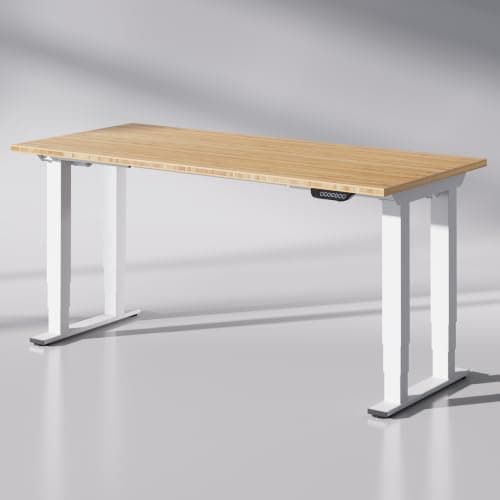
In detail

The picks, in full

1Best frame you can buy bareResearched

UPLIFT Desk V3 Standing Desk Frame

355 lb, three-stage, and a 15-year warranty that names motors and electronics rather than only the steel.

9.1 /10
  • Height range 9.5
  • Stability at height 9.0
  • Warranty 9.5
  • Parts availability 9.0
  • Ease of buying 7.5

Specs, with sources

Height range
22.6" to 48.7" — a 26.1" span UPLIFT says fits over 95% of users source
Lifting capacity
355 lb source
Legs and motors
3-stage telescoping legs, synchronized precision motors in each leg source
Ergonomic standard
Adjusts to meet ANSI/BIFMA G1-2013 ergonomic guidelines source
Warranty
15 years, full coverage for desktop, frame, motors and electronics source

What works

  • Drops to 22.6", low enough for seated work at a normal chair height
  • Anti-collision reverses the desk on impact — worth having with a drawer or a pet underneath
  • 15-year warranty on motors and electronics is the longest here
  • Ten desktop sizes from 42x24 up to 80x30

What doesn't

  • Costs more than the FlexiSpot equivalent once you add a desktop
  • Frame-only buyers still need to source a top

Skip it if your budget stops at the frame — a V3 plus a real desktop lands well above the all-in price of a finished FlexiSpot.

UPLIFT DeskV3 Standing Desk FrameNo licensed photo yet
Check price on UPLIFT Desk

#ad · Price as of October 11, 2026 · Affiliate disclosure for the link to V3 Standing Desk Frame

2Best reach, while stock lastsOwner-tested long-term

UPLIFT Desk V2 Standing Desk Frame

A 50.1" ceiling on the standard V2 — the highest frame we rank anywhere, and the one the owner here works at.

9.0 /10
  • Height range 9.5
  • Stability at height 9.0
  • Warranty 9.5
  • Parts availability 9.0
  • Ease of buying 6.5

Specs, with sources

Height range (frame)
24.5" to 50.1" for the V2; the V2-Commercial runs 22.6" to 48.7" source
Lifting capacity
355 lb source
Leg stages
3-stage telescoping legs, dual motor source
Warranty
15 years, covering desktop, frame, motors and electronics source
Availability
UPLIFT states the "V2 & V2-Commercial frames remain available while supplies last" source

What works

  • The only desk on this site anyone here has actually lived with day to day
  • Three-stage legs give a genuinely tall top end — 50.1" at the frame
  • 15-year warranty explicitly includes motors and electronics, which is where these desks fail
  • Frame and desktop bought separately, so a cheap top or your own slab is an option

What doesn't

  • Being sold through: stock and size options narrow as the V3 takes over
  • Frame-plus-top pricing lands above the mass-market competition
  • Assembly is a genuine two-person, hour-plus job

Skip it if you want one box with everything decided for you — the frame-and-top model means choosing a size, a finish and an edge before you can check out.

UPLIFT DeskV2 Standing Desk FrameNo licensed photo yet
Check price on UPLIFT Desk

#ad · Price as of October 11, 2026 · Affiliate disclosure for the link to V2 Standing Desk Frame

3Best four-leg frameResearched

FlexiSpot E6Q Premium 4-Leg Standing Desk 72" x 30"

Removes the unsupported span entirely, but FlexiSpot only sells this frame with a top already on it.

7.5 /10
  • Height range 8.0
  • Stability at height 9.5
  • Warranty 4.0
  • Parts availability 7.0
  • Ease of buying 9.0

Specs, with sources

Height range
25.98" to 51.57", at up to 1.0 in/s source
Load capacity
540 lb static load, 440 lb lifting capacity source
Desktop
72" x 30", sold as a finished desk source
Frame and motors
Reinforced four-leg frame with a dual motor system, compatible with M8 caster wheels source
Controls
Control panel with three memory presets, a USB charging port and a sedentary reminder source

What works

  • A 51.57" ceiling is the second highest of any desk we rank, and the highest on a four-leg frame
  • 440 lb of lifting capacity, which is the most of anything here
  • Four legs put support under the middle of a 72-inch top rather than spanning it
  • Takes M8 casters, so it can be made mobile without losing the capacity

What doesn't

  • A 25.98" floor is nearly three inches above the UPLIFT V3 — poor for seated work below about 5'5"
  • Four legs eat the under-desk floor a walking pad or a rolling cabinet wants
  • Three memory presets rather than the four most desks at this price offer
  • FlexiSpot does not state a warranty term on this listing, which is a real gap at this money

Skip it if you sit for a meaningful part of the day and you are not tall — the floor is the binding number on this desk, and no amount of capacity buys it back.

FlexiSpot E6Q Premium 4-Leg Standing Desk 72" x 30"
$969.99View on Amazon

#ad · Price as of October 11, 2026 · Affiliate disclosure for the link to E6Q Premium 4-Leg Standing Desk 72" x 30"

How we picked

Every pick earns its place on the numbers

Each product here is chosen the way a well-informed buyer would choose it: read the maker's spec sheet, manual and warranty terms; record the figures that decide whether a desk fits a body and stays still at height; confirm replacement parts are actually sold; then score it against a published rubric. The UPLIFT V2 adds something extra — it is owner-tested long-term, the desk Mike bought and works at daily.

Scores are weighted editorial judgments from that documented research, shown as a criterion-by-criterion breakdown so you can see which strengths earned each ranking. Nobody pays for placement. The rubric and the weights are on the How We Pick page.

Questions

Frequently asked

Is it cheaper to buy a standing desk frame and your own top?

Usually not, once the top is real. A finished desk bundles a laminate top at a price no separate slab matches, so the frame-only route is a quality and fit decision rather than a savings one. It wins when you already own a top you want to keep, need a thickness no finished desk ships, or need a shape no catalog sells.

What is the best standing desk frame?

The UPLIFT V3, because it combines three-stage legs with a synchronized motor in each leg, 355 lb of lifting capacity, a 22.6 to 48.7 inch range and a 15-year warranty whose text names motors and electronics rather than only the steel. The outgoing V2 is the pick if you need its higher 50.1-inch ceiling and can still get one.

How thick should a desktop be on a standing desk frame?

Three quarters of an inch is the practical floor and one to one and a half inches is the sweet spot. Thinner than about 0.6 inches and Ergotron's own guidance rules out clamping an LX monitor arm to it, which removes the most useful accessory on a sit-stand desk. Thicker buys stiffness but eats into the frame's lifting capacity.

Will a standing desk frame fit an IKEA countertop or a butcher block?

Usually, but check two numbers rather than assuming. First the frame's adjustable width range against the length of your top, because a frame cannot go narrower than its minimum and the feet will overhang. Second the weight: a solid hardwood slab at 60 by 30 inches can approach 100 lb, which is fine on a 355 lb frame and tight on a 220 lb one.

Do I need a three-stage frame?

If you are tall, short, or putting a thick top on it, yes. Three stages give more range at both ends from the same collapsed height, and your top's thickness is added to the frame's floor — so a thick slab on a two-stage frame can land your seated height above where you can comfortably type.

Next

Receipts

Sources

Specs come from the maker's own spec pages and manuals; health claims from named medical institutions and published research; tax mechanics from IRS material. Where a figure isn't published, we say so rather than estimating it. Read the full method.