The short answer
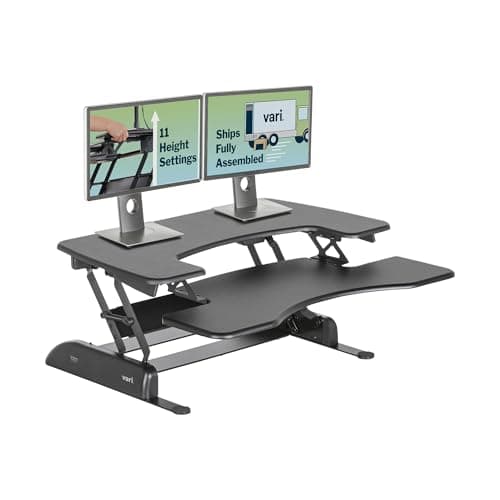
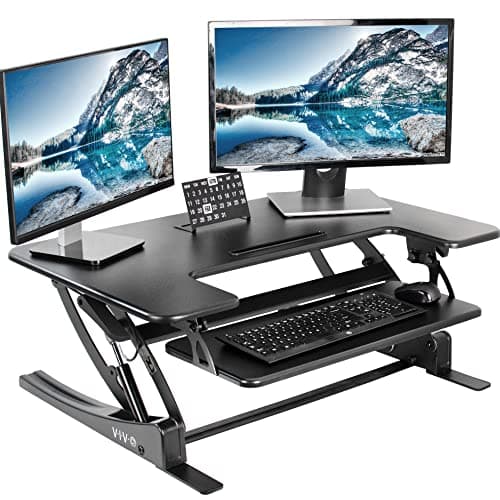
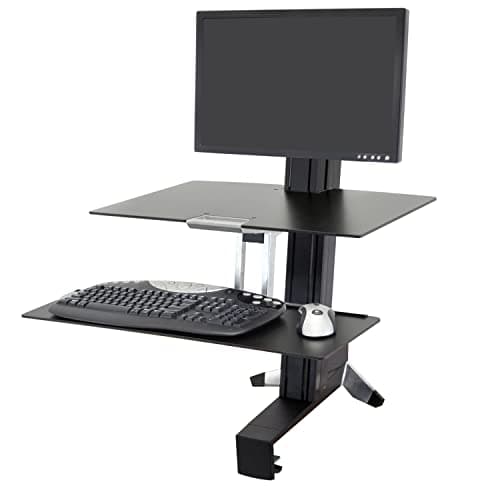
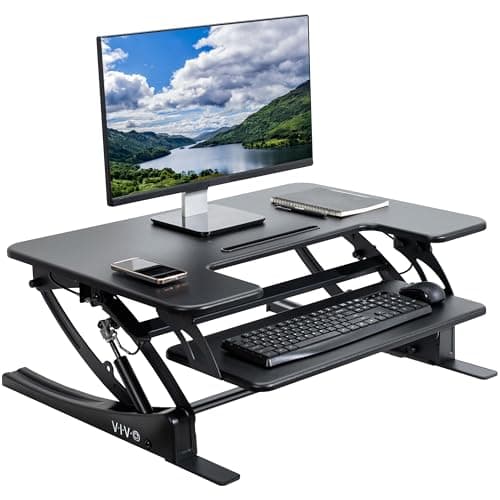
Choose a converter in this order: your desk's depth, then the lift you actually need (your standing elbow height minus your desk height), then whether you want a platform or a clamp-on arm, then the keyboard tray, then the load, and only then the mechanism and the warranty. Depth comes first because it disqualifies products outright — both VIVO platforms are 22 inches deep and Vari asks for a desk 25.75 inches deep to get the full 17.5 inches of lift from the Pro Plus 36. A correct process usually lands on one of four: the VariDesk Pro Plus 36 for most people, the VIVO 36-inch for two screens, the Ergotron WorkFit-S if you are tall or your desk is shallow, and the VIVO 32-inch if the desk is small.
Why this order
A full desk is judged on its own specifications. That process starts with your body and the desk's height range. A converter is different: it inherits your existing desk's height and depth, so half its specification is furniture you already own.
Which means the fastest way to a shortlist is to measure your desk before you look at a single product. Depth eliminates more converters than any other filter, and nothing about price or brand buys it back.
1. Measure your desk depth
Front edge to back edge, in inches. Then compare:
|
| 30" or more | Anything here, comfortably |
| 26" to 29" | Any platform, with a usable strip in front |
| 24" to 25" | Tight. Vari will not reach full lift; expect no space in front of the platform |
| Under 24" | No platform. A clamp-on arm converter is the only route |
Both VIVO converters are 22 inches deep. Vari recommends a 25.75-inch-deep desk with clearance to rise to the full 17.5 inches on the Pro Plus 36. A 22-inch platform on a 24-inch desk leaves two inches in front of it, which is not a working surface.
The second measurement, taken at the same time
Vertical clearance above the desk. A shelf, a wall cabinet, a window header or a sloped ceiling less than about 20 inches above the desktop will stop the converter before it reaches your standing height — and a monitor sitting on the platform adds its own height on top of that.
2. Work out the lift you need
Not the lift that sounds generous. The lift that matches your body and your desk, which is one subtraction:
Your standing elbow height, minus your desk height. The height calculator produces the first number and a tape measure gives you the second. A typical desk is 29 to 30 inches, so a user needing 44 inches of standing height needs roughly 14 to 15 inches of lift.
Now check both ends of each product's range. The VariDesk Pro Plus 36 runs 4.5 to 17.5 inches — the 4.5-inch floor is the lowest here and matters for a tall monitor. The VIVO 36-inch runs 6.7 to 16.9 inches and the VIVO 32-inch 6.5 to 17 inches, so both park your keyboard at least six and a half inches above the desk even at their lowest. The Ergotron WorkFit-S adjusts 18 inches in tandem with 5 inches more for the monitor alone, up to a 23-inch maximum monitor height.
If the arithmetic says you need more than about 17 inches, you are a tall-user case, and the honest answer is usually the arm rather than a platform.
3. Decide platform or arm
Two different products, and the choice is mostly about desk real estate.
- A platform is a surface that lifts your screen and keyboard together. It is simpler, it holds more, and it occupies your desk permanently.
- A clamp-on arm — the WorkFit-S — holds the monitor on a VESA mount with a keyboard tray below. It costs no desk depth, and it lets the monitor move independently of the keyboard, which is why it ranks top for tall users. It needs a VESA-compatible screen and a clampable desk edge, so an all-in-one machine usually rules it out.
4. Check the keyboard tray
A converter without a separate keyboard tier lifts your screen and your keyboard to the same height, which means typing with raised shoulders. That is a monitor stand being sold as a converter, and it is the most common way this purchase goes wrong.
The published tray dimensions are worth reading: 25.2 by 10.6 inches on the VIVO 36-inch, 24.4 by 10.5 inches on the VIVO 32-inch. A full-size keyboard and a mouse need the width; a wrist rest needs the depth.
5. Add up the load
Both VIVO platforms take 33 lb on the desktop, and the VIVO 32-inch states a 4 lb limit on the keyboard tray — the tightest figure in this category, and one that a mechanical keyboard plus a metal wrist rest can genuinely exceed. The VariDesk Pro Plus 36 Electric publishes 44 lb; Vari does not publish a platform weight figure for the manual Pro Plus 36, which is why we say so rather than guess. The WorkFit-S allows 24 lb total on the height-adjustment assembly for the single-monitor model and 25 lb for the dual.
Two screens is where this gets tight rather than theoretical — the dual-monitor page is a conversation about exactly this number.
6. Mechanism and warranty
Only now does the mechanism matter, and there are three options.
- Spring-assisted. One motion, no power. The VariDesk Pro Plus 36 and both VIVO units use this; the VIVOs add a touch height lock on dual pneumatic springs.
- Powered. The VariDesk Pro Plus 36 Electric, for anyone whose hands, back or shoulder make a spring lift a daily annoyance. It adds a motor and a cable to a product whose main virtue is having nothing to fail.
- Manual lift-and-set. Cheap, and a reason not to adjust it, which defeats the purpose.
Warranty is the clearest difference on the shelf: Vari publishes a lifetime warranty on both Pro Plus models, VIVO three years on its steel risers, Ergotron five on the WorkFit-S. On a product whose only moving part is a spring, that spread is worth noticing.
From the picks
What we'd actually buy
The default pick, the wide platform for two screens, the arm for a tall user or a shallow desk, and the compact platform for a small desk.
The converter everyone else is measured against: spring-assisted, arrives assembled, lifetime warranty. It rises 17.5", which is enough for most people at a 29" desk and not enough above about 6'2".
Best for dual monitors on a budget
A wide two-tier platform with the most usable surface per dollar in this category. The 33 lb lift limit is the thing to check against your actual monitors before you order.
Best for tall users and zero desk footprint
A clamp-on arm rather than a platform, so it takes no desk depth at all and lets the monitor move independently of the keyboard. For tall users that independence is the whole argument.
The simplest useful converter here. One person, one laptop, one monitor, and it puts the keyboard on its own tier rather than leaving it up at screen height.
The four disqualifiers
Any one of these rules a converter out regardless of how good it looks.
- A desk under 24 inches deep. A 22-inch platform overhangs the front edge, which is unusable and genuinely unsafe with a monitor on it.
- Less than about 20 inches of clearance above the desk. The converter will stop before your standing height, and the monitor height stacks on top.
- No separate keyboard tier. Raised shoulders for hours is the injury this product category exists to prevent.
- Needing more than about 17 inches of lift. Platforms top out there. Buy the arm, or buy a full sit-stand desk instead.
Where a correct process lands
For most people on a normal 29-to-30-inch desk with 26 inches or more of depth: the VariDesk Pro Plus 36, for the lifetime warranty, the assembled delivery and the low 4.5-inch floor. For two monitors or a wide setup on a budget: the VIVO 36-inch, with its 36 by 22 inch top and 33 lb platform. For a tall user, a shallow desk or a desk you cannot cover: the WorkFit-S. For a small desk and a single screen: the VIVO 32-inch.
The full ranking puts those four in order, and the worth-it page is the one to read first if you have not yet decided that a converter is the right category at all.