The short answer
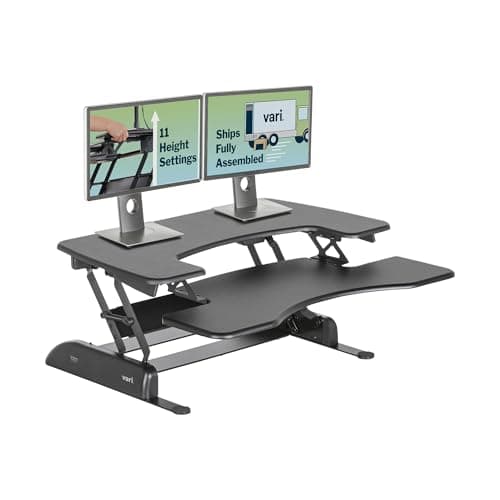
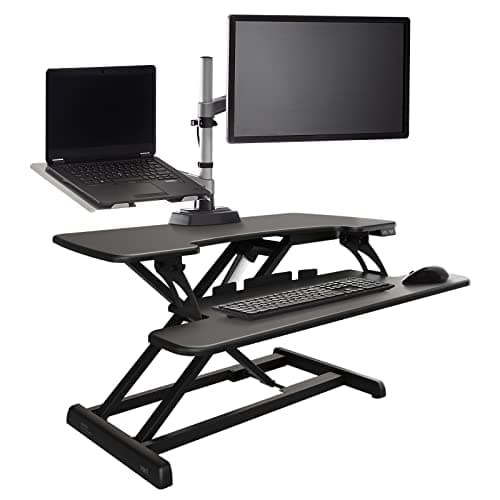
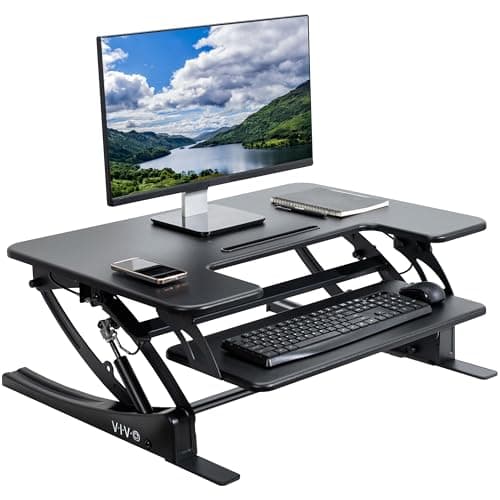
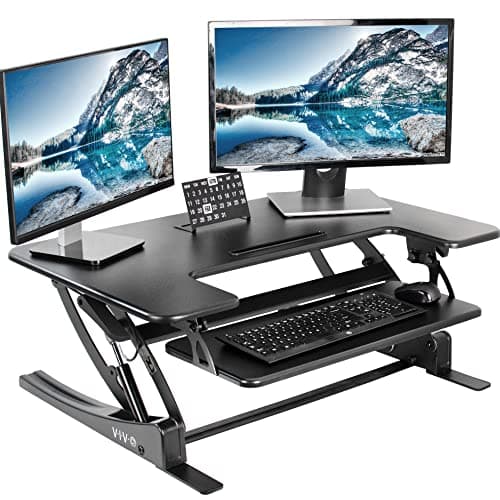
The VIVO 36-inch converter is the pick for a 27-inch iMac: a 36 by 22 inch platform leaves real margin either side of a 25.6-inch-wide machine, it takes up to 33 lb against the iMac's 19.7 lb, and it carries a separate keyboard tray that rises with it. For a 24-inch iMac the VIVO 32-inch is plenty of platform at a lower price, since that machine is 21.5 inches wide and 9.79 lb. The VariDesk Pro Plus 36 is the best-built option and the one with a lifetime warranty; its electric sibling has the most load headroom at 44 lb. And the reason a converter rather than a monitor arm is the answer: Apple's standard iMac stand is not height-adjustable, and the VESA mount is a configuration you choose when you order the machine, not something you can add later.
Everyone checks the wrong spec
Search for a converter for an iMac and the advice you get is about weight. It is the wrong thing to worry about, and Apple's own published figures show why.
A 24-inch iMac (2024, four ports) weighs 9.79 lb including its stand. The M1 generation is 9.83 lb for the two-port model and 9.88 lb for the four-port. A 27-inch iMac (Retina 5K, 2020) — the big one, the heavy one — is 19.7 lb.
Now compare that with what the converters on this page are rated to carry: 33 lb on both VIVO platforms, and 44 lb on the VariDesk Pro Plus 36 Electric. Even the biggest iMac Apple sold uses a bit under 60% of the smallest rating here. On most products the load rating is the thing that disqualifies a pairing; it is exactly what decides a dual-monitor converter. On an iMac it is a non-issue, and any page that leads with it has not checked.
What actually decides the pick is three other things:
- Whether you can mount the machine any other way at all. Usually you cannot, and that is the whole reason a converter is the answer.
- Platform width against the iMac's width, which on a 27-inch machine eats most of a 32-inch platform.
- Total lift versus how tall the screen already is, because a converter lifts the whole machine and an iMac screen is tall to begin with.
Why you probably cannot use a monitor arm
On any normal setup, a clamped monitor arm beats a converter. We say so on the page that compares the two: an arm consumes no desktop, repositions in one second, and holds the screen at the right height in both your seated and standing positions.
An iMac takes that option away, for two reasons that are both stated on Apple's own spec pages.
The two facts that make an iMac different
First, the standard iMac does not have a height-adjustable stand — the aluminum foot tilts and nothing else. Second, VESA is not a retrofit: Apple offers a built-in VESA Mount Adapter as a separate configuration of the machine, chosen at order time. If your iMac came with the normal stand, there is no supported way to put it on an arm later.
So for the large majority of iMac owners, the choice is not "arm or converter". It is "converter, a full sit-stand desk, or nothing". That is a genuinely different situation from the one our general converter guide describes, where a converter is competing against a better product.
Two honest exceptions. If you did order the VESA configuration, buy an arm instead — it is the better product and the arm ranking is the page you want; the Ergotron LX publishes 26 lb of capacity, which covers a 27-inch iMac at 19.7 lb with margin. And third-party adapter brackets that clamp around a standard iMac foot do exist; they are not an Apple-supported mount, we have not tested one, and we are not going to recommend hanging a 19.7 lb computer off something we cannot verify.
The iMac numbers that matter
These are Apple's published figures, and they are the ones to measure a converter against. Every dimension includes the stand, because the stand is what sits on the platform.
|
| iMac 24" (2024, four ports) | 21.5" | 18.1" | 5.8" (stand width 5.1") | 9.79 lb |
| iMac 24" (M1, 2021) | 21.5" | 18.1" | 5.8" | 9.83 lb / 9.88 lb (4-port) |
| iMac 27" (Retina 5K, 2020) | 25.6" | 20.3" | 8" | 19.7 lb |
The figure that surprises people is the stand width on the 24-inch machine: 5.1 inches. The foot is narrow, so almost all of the platform under an iMac is usable space rather than stand. The 8-inch stand depth on the 27-inch machine is the one to watch, since both VIVO platforms here are 22 inches deep — the stand takes about a third of that before anything else goes on.
Platform width is the real filter
Here is the arithmetic that sorts this page, and it takes thirty seconds.
A 27-inch iMac is 25.6 inches wide. Put it on a 32-inch platform and you have 6.4 inches left in total — about three inches each side, which is not enough for a speaker, an external drive, a notebook or a mug. Put it on a 36-inch platform and you have 10.4 inches, which is a usable strip down one side. That is the entire reason the 36-inch units rank above the 32-inch one for a 27-inch machine.
A 24-inch iMac is 21.5 inches wide. On a 32-inch platform that leaves 10.5 inches — more margin than a 27-inch iMac gets on a 36-inch platform. So for the 24-inch machine the cheaper, smaller converter is genuinely the right product rather than a compromise, and paying for 36 inches buys you space you do not need.
The thirty-second check
Platform width minus iMac width. Under about 6 inches of total margin and the converter becomes a shelf that holds exactly one computer. Over about 10 inches and you have somewhere to put the things that currently live on your desk — which matters, because the converter is going to be sitting on top of most of that desk.
One thing not to worry about: the keyboard. A Magic Keyboard and a Magic Mouse or Trackpad together are a fraction of any tray rating, so even the VIVO 32-inch's 4 lb tray limit — the tightest figure on this page, and one that catches people out with mechanical keyboards and wrist rests — is comfortable with Apple's own peripherals.
The 27-inch overshoot problem
This is the caveat nobody writes about, and on a 27-inch iMac it is the thing most likely to disappoint you.
With a normal monitor, you want the top of the screen at or just below eye level. A converter lifts the whole machine, so the screen height you end up with is the platform height plus the full height of the iMac — and a 27-inch iMac is 20.3 inches tall including the stand. Add a converter at anywhere near its maximum lift and the top of the screen can end up well above your eye line, which means looking up at it for hours.
The practical consequence is that on a 27-inch iMac you will probably run the converter well short of its ceiling, which inverts the usual advice. On most converter pages maximum lift is the headline spec — it is what the tall-user ranking sorts by. Here it is headroom you may never use, and what you want instead is a mechanism that holds a chosen intermediate height reliably. Both VIVO units use a dual pneumatic spring lift with a touch height lock, and the VariDesk Pro Plus 36 uses a spring mechanism across 4.5 to 17.5 inches — note the 4.5-inch floor, the lowest starting point on this page, which is a real advantage for a machine this tall.
On a 24-inch iMac (18.1 inches tall) there is a bit more room before overshoot, and taller users may want most of the lift. Get your own standing number from the height calculator, subtract your desk height to find the lift you need, and then subtract the iMac's height from your eye-level target rather than assuming more lift is better.
The four, measured
|
| VIVO 36" (DESK-V000V) | 36" x 22", plus a 25.2" x 10.6" keyboard tray | 6.7" – 16.9" | 33 lb on the platform | Dual pneumatic spring, touch height lock | 3 years |
| VariDesk Pro Plus 36 | 36" worksurface | 4.5" – 17.5" | Not published as a platform figure | Spring-assisted lift | Lifetime |
| VariDesk Pro Plus 36 Electric | 36" worksurface | Powered vertical lift | 44 lb | Powered gas spring | Lifetime |
| VIVO 32" (DESK-V000VS) | 32" x 22", plus a 24.4" x 10.5" keyboard tray | 6.5" – 17" | 33 lb desktop, 4 lb tray | Dual pneumatic spring, touch height lock | 3 years |
Read the lift-range column with the overshoot section in mind: the VariDesk's 4.5-inch floor is the useful end of its range for a tall machine, not its 17.5-inch ceiling. And read the warranty column as the clearest difference on the page — Vari publishes a lifetime warranty on both Pro Plus models against VIVO's three years, on a product whose only moving part is a gas spring.
A note on the load figures. Vari does not publish a platform weight rating for the manual Pro Plus 36 the way VIVO does, which is why the table says so rather than guessing. It does publish 44 lb for the Electric. Given an iMac's worst case is 19.7 lb, this is not a gap that should change anyone's decision — but we are not going to invent a number to fill a cell.
The honest cost of each pick
- VIVO 36-inch. Three years of warranty against Vari's lifetime, and at 22 inches deep it is the deepest footprint here — on a 24-inch-deep desk it leaves almost nothing in front. The 6.7-inch floor is also the highest starting point on the page, which on a 27-inch iMac works against you.
- VariDesk Pro Plus 36. Vari recommends a 25.75-inch-deep desk to reach the full 17.5 inches of lift, so a shallow desk costs you range as well as space. It is also the heaviest manual unit to reposition on the desk, and there is no published platform load figure.
- VariDesk Pro Plus 36 Electric. The most expensive option here by a clear margin, and it adds the one thing a spring converter does not have: a motor and a power cable, on a product whose main virtue is having nothing to fail. Worth it for the 44 lb rating and the powered lift if you cannot comfortably lift a spring unit; otherwise the manual does the same job.
- VIVO 32-inch. Too narrow for a 27-inch iMac, full stop — 6.4 inches of total margin is a shelf for one computer. The 4 lb keyboard-tray limit is the tightest figure on the page, and its 6.5-inch floor means your keyboard sits permanently above the desk surface, which is the trade-off we flag everywhere this product appears.
Measure your desk first
Two measurements, and both can disqualify every product on this page before width or weight enters the picture.
Desk depth. Both VIVO units are 22 inches deep and Vari asks for a 25.75-inch desk to get full travel from the Pro Plus 36. Thirty inches of desk depth is comfortable, 26 is workable, 24 is tight, and under 24 inches a converter this size overhangs the front edge — which is unusable and genuinely unsafe with a computer on it.
Vertical clearance. A shelf, a wall cabinet, a window header or a sloped ceiling less than about 20 inches above the desktop will stop the converter before it reaches your standing height. On an iMac this is worse than usual, because the machine adds 18.1 or 20.3 inches of its own height on top of wherever the platform stops.
If the depth measurement rules a converter out, the remaining route is a proper sit-stand desk — the iMac goes on it at its normal height and the desk does the lifting. The home-office desk ranking is built around the constraints of a desk living in a house, and the choosing process will get you to a shortlist in about ten minutes.
What we left out, and why
The Ergotron WorkFit-S. This is the exclusion worth explaining, because it is the converter we rank highest for tall users and it is useless to most iMac owners. The WorkFit-S holds the display on a VESA mount — and a standard iMac has no VESA interface. Its adjustment range (18 inches in tandem, up to 23 inches for the monitor) and its load limits (24 lb single, 25 lb dual on the height-adjustment assembly) would both suit an iMac perfectly. There is simply nowhere to attach it unless you ordered the VESA configuration, in which case you should be buying an arm anyway.
Monitor arms, for the same reason. Covered above. Better product, not available to most iMac owners.
Fixed risers. Worth a mention rather than a ranking. A plain riser shelf takes the iMac on its own foot with no VESA needed and no mechanism to fail — the VIVO 24-inch riser publishes 44 lb, more than either VIVO converter — and it is a fraction of the price. What it cannot do is move, so it raises your screen and gives you no standing position at all. The stand and riser ranking covers that route if raising the screen is actually the whole problem.
Converters without a keyboard tray. A unit that lifts only the iMac leaves your keyboard at seated height, which means typing with raised shoulders for hours. That is a monitor stand being sold as a converter, and we do not rank them as converters.
Mac mini and Studio Display setups. A separate display has a VESA interface and is a different product decision entirely — that is the normal case, where an arm wins.
Nobody here has used an iMac on any of these converters. The iMac dimensions and weights above are Apple's own published specifications and the converter figures are VIVO's and Vari's, all cited below; availability was verified before this page was written. The arithmetic — platform width minus iMac width, eye level minus iMac height — is ours, and you can check it with a tape measure in about a minute.