The short answer
Buy four legs if your desktop is about six feet wide or more, or if your load is genuinely heavy: four legs put structure under the middle of the span, which is where a wide two-leg desk flexes. The FlexiSpot E6Q Premium is the case in point at 540 lb static, 440 lb lifting and a 51.57-inch ceiling. Buy two legs for anything narrower, and for anyone who sits for part of the day: a three-stage two-leg frame like the UPLIFT V3 drops to 22.6 inches against the E6Q's 25.98, and it leaves the under-desk bay clear for a chair, a walking pad or a drawer pedestal. Width and floor height decide this, not build quality — both layouts are made well and badly.
The decision in one paragraph
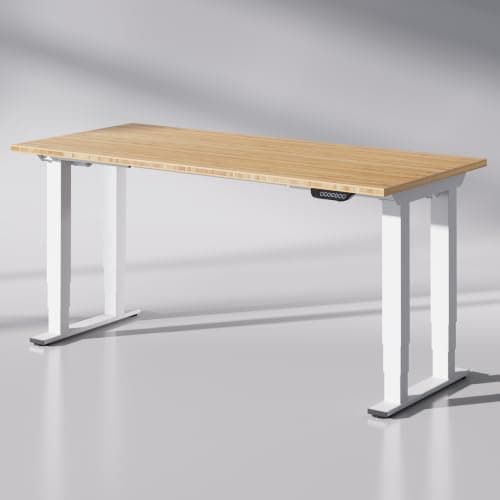
A two-leg desk is a bridge: two supports at the ends, a span between them, and your monitors in the middle of the span. A four-leg desk is a table: a support near each corner, and much shorter unsupported distances. Everything else follows from that, in both directions.
What four legs actually fix
Two things, and they are both measurable rather than matters of feel.
Deflection across a wide top. Load applied in the middle of a span bends the top and twists the frame, and the longer the span the more it does both. At 48 to 55 inches a good two-leg frame is rigid. At 72 to 78 inches the same frame is working much harder, which is why the two widest desks we rank — the FlexiSpot E6Q Premium at 72 inches and the FlexiSpot 78x32 — are both four-leg designs. The six-foot ranking is mostly a conversation about this.
Rated capacity. More legs means more motors and more columns carrying the load, and the ratings reflect it. The E6Q Premium publishes 540 lb static and 440 lb lifting, which is the largest figure in the heavy-duty ranking, against 355 lb for the UPLIFT V3.
What four legs do not change is the thing people buy them for most often: lateral sway at full extension. That is a function of leg-stage count, joint tolerances and how tightly the top is fixed to the frame. The wobble page goes through the actual causes, and a four-leg desk with loose joints wobbles just as happily as a two-leg one.
What they cost: the floor
This is the real price of four legs and it is paid in inches at the bottom of the range.
The number that decides it for most people
The UPLIFT V3 drops to
22.6 inches. The four-leg E6Q Premium stops at
25.98 inches, and the four-leg FlexiSpot 78x32 at
28.7 inches. A desk that will not drop below about 29 inches is a desk most adults cannot type at comfortably while seated, which turns a sit-stand desk into a standing desk.
Get your own seated number before you shop.
Why does the floor suffer? Partly leg stages — most four-leg designs are two-stage, and a two-stage leg loses its travel off the bottom — and partly the cross structure that makes a four-leg frame rigid, which has to live somewhere.
What they cost: the space underneath
A two-leg frame leaves one clear bay the width of the desk. A four-leg frame divides the same floor into narrower bays with structure between them, and that structure is exactly where other things want to go.
- A walking pad. Needs a clear rectangle roughly four feet long — belt length is the spec to check — and the gap between four legs is often narrower than the pad.
- A drawer pedestal. Same problem; the drawers page works through the clearance.
- Your chair. An armchair-width task chair rolls into a leg on a four-leg desk in a way it never does on a two-leg one.
- Casters. FlexiSpot offers M8 casters on the E6Q Premium but states that the four-leg 78x32 takes neither casters nor under-desk drawers — so this is model-specific, not a rule.
The two, measured
|
| Height range | 25.98" – 51.57" | 22.6" – 48.7" |
| Capacity | 540 lb static, 440 lb lifting | 355 lb lifting |
| Top | Sold as a finished 72" x 30" desk | Frame only; ten desktop sizes from 42x24 to 80x30 |
| Under-desk floor | Divided by four legs; takes M8 casters | One clear bay |
| Warranty | Not stated on the listing | 15 years, naming desktop, frame, motors and electronics |
| Controls | Three memory presets, USB port, sedentary reminder | Synchronized motors, anti-collision |
Choose by width
Applied to real desk sizes, the rule comes out like this.
- Up to about 60 inches: two legs, without hesitation. The span is short enough that a good two-leg frame is rigid, and you keep the low floor and the clear bay.
- 60 to 70 inches: two legs if the frame is three-stage and well rated; this is the band where either answer is defensible.
- 72 inches and up: four legs, or a two-leg frame with a genuinely thick top. Beyond six feet the middle of the desk is a long way from any support.
- Any width, very heavy load: four legs, for the capacity rather than the span.
One cheaper option worth naming: if the width is for a second monitor rather than for space, a monitor arm gets both screens off the desk and often removes the need for the extra foot of top entirely.
Two things four legs do not fix
Sway at full extension. Covered above: that is stages and tolerances, not leg count. The FlexiSpot 78x32 is four-legged and still has the lowest ceiling of any desk we rank at 47.2 inches, which is its own limitation.
A top that is too thin. Four legs reduce the span but the desktop still has to be stiff enough not to bow between them under a monitor arm clamp. A one-inch particle board top on any frame will do what one-inch particle board does.
The verdict
Two legs for most people, because most desks are under six feet and most people sit for part of the day — and the UPLIFT V3 wins this comparison on the two specs that disqualify a desk outright, floor height and warranty scope. Four legs when the top is six feet or wider or the load is genuinely heavy, where the E6Q Premium is the best-specified option we can cite and the floor height is the price you knowingly pay.
If you are choosing between frames rather than layouts, the frame ranking covers the whole field, and the choosing process puts this decision in its proper place — step three, after you know your own two numbers.