The short answer
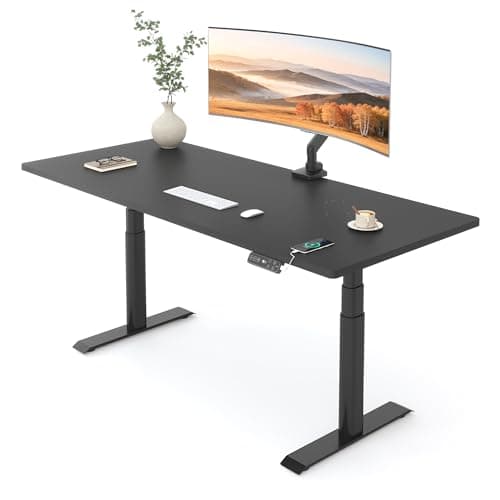
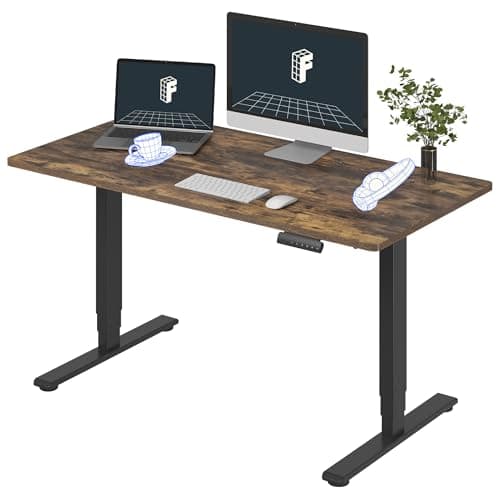
Buy dual motor. A dual-motor desk puts a motor inside each leg so the two columns are driven independently and synchronized electronically; a single-motor desk drives both legs from one motor through a shared drive shaft under the desk. The second motor buys roughly double the lifting speed at the same noise level, higher rated capacity, better behavior under an unevenly loaded top, and a failure mode that does not take the whole desk out at once. On every desk we rank, the dual-motor version is the one worth owning — the FlexiSpot E6 Pro is the straightforward pick, the UPLIFT V3 is the best of them, and the FlexiSpot E6 is the cheapest dual-motor desk we would put our name to.
The mechanical difference
In a single-motor frame, one motor sits in the middle or in one leg and turns a steel drive shaft that runs across to the other leg. Both columns rise because they are mechanically chained together. It is a clean design and it works.
In a dual-motor frame, each leg has its own motor and gearbox. There is no drive shaft; the control box keeps the two legs in step electronically. The UPLIFT V3, for example, publishes synchronized precision motors in each leg.
Everything below follows from that one structural difference. None of it is about power in the horsepower sense — these are small motors either way, and neither design struggles with the loads real desks carry.
Speed and noise
This is the difference you notice on day one and the one that quietly decides whether you keep using the desk.
Two motors share the work, so each one turns more slowly for the same desk speed — or, put the way it actually ships, two motors move the desk roughly twice as fast at the same motor effort. Typical dual-motor desks run around one inch per second. Single-motor desks are commonly half that. On a 25-inch travel range, that is about twelve seconds per change versus about twenty-five.
Why twelve seconds versus twenty-five actually matters
The entire value of a sit-stand desk is in the switching, not in standing. UT Southwestern's guidance is to change position, shift your weight and take short walk breaks every thirty minutes — that is a lot of transitions in a day. Anything that makes a transition feel like an interruption reduces how often you make it, and a desk that stops being raised is a desk that bought you nothing.
Noise follows the same logic. A single motor doing all the work at full speed is working harder and sounds like it. Dual-motor desks commonly publish figures under 50 dB — the FlexiSpot E6 states under 50 dB and the E6 Pro under 45 dB — and the honest reading of those numbers is that they are marketing-grade measurements. The comparison between them still holds up.
Capacity and level
Rated capacity on single-motor desks is typically 150 to 200 lb; dual-motor desks in the same price band publish 220 lb and up, and the frames we rank reach 330 and 355 lb. Some of that gap is the motor and some of it is that dual-motor frames tend to be better built overall, but the direction is consistent across every maker.
The subtler point is load distribution. Real desks are not loaded evenly — the tower is under one end, the monitors are off-center, and a drawer unit hangs off one side. A single motor pushing a shared shaft has to drag the lightly loaded leg along with the heavy one, which puts a twisting load through the shaft and the frame. Independent motors each lift their own share.
Independent motors do introduce one thing single-motor desks cannot have: the legs can drift out of sync, which shows up as a desk that is very slightly out of level. Every dual-motor desk ships with a reset procedure for exactly this — hold the down button until the frame bottoms out and re-initializes. It takes ten seconds, once or twice a year. If your desk feels wrong, this is one of the first things to check.
What happens when one fails
Standing desks do not fail at the steel. They fail at the control box, the hand switch, and occasionally a motor — which is exactly what the shorter clause in most warranty documents carves out. The FlexiSpot desks we rank state two years on the control panel and electronics whether the frame is covered for five years or ten.
On a single-motor desk, the motor and the drive shaft are both single points of failure for the entire desk. On a dual-motor desk, one failed motor leaves you with a desk that refuses to move rather than one that tilts — the control box detects the mismatch and stops — and the replacement part is a leg motor, which is a stocked consumable for the brands worth buying.
That is the real argument for paying attention to who made the frame. The frames we rank are the ones whose makers publish a capacity, a leg-stage count and a warranty that names electronics — and UPLIFT's fifteen-year coverage explicitly includes motors and electronics, which is the clause that actually gets used.
The two, side by side
|
| Drive | One motor, shared drive shaft between legs | A motor and gearbox in each leg |
| Typical travel speed | Roughly 0.5 in/s | Roughly 1.0 in/s (the FlexiSpot E6Q publishes up to 1.0 in/s) |
| Typical rated capacity | 150 – 200 lb | 220 lb and up; 330 – 355 lb on the frames we rank |
| Uneven loading | Shaft drags the light leg along with the heavy one | Each leg lifts its own share |
| Out-of-level drift | Mechanically impossible | Possible; fixed by the reset procedure in ten seconds |
| Failure | One motor or shaft takes the whole desk | Desk refuses to move; the part is one leg motor |
| Noise | One motor doing all the work, at full effort | Commonly stated under 45 – 50 dB |
From the picks
The dual-motor desks we'd actually buy
Three dual-motor frames at three very different budgets. Every one publishes its capacity, its leg-stage count and what its warranty covers.
The same footprint and the same range as the E6, with half again the capacity, a quieter motor pair and double the frame warranty. It is the version worth the difference for most desks.
UPLUPLIFT DeskV3 Standing Desk FrameNo licensed photo yet
Best current-generation buy
The V2's replacement, and the one that will actually be in stock. UPLIFT puts the range at 22.6" to 48.7" — a lower floor than the V2, which matters more than the ceiling for most people — on the same 355 lb rating and 15-year warranty.
Three-stage legs, dual motors and four memory presets under a one-piece 55" top, at the price most two-stage desks ask. The 220 lb rating and the five-year frame warranty are what you give up.
When single motor is fine
There are real cases, and pretending otherwise would be dishonest.
- A light, narrow desk you rarely move. A 40-inch top with one laptop on it is nowhere near any capacity limit, and if you change position twice a day rather than six times, speed stops mattering.
- A secondary or occasional-use desk. A spare room, a workshop bench, a desk someone uses for an hour a week.
- A hard budget ceiling where the alternative is no sit-stand at all. Although at that budget we would put the money into a converter and a mat instead, because a spring-assisted converter has no motor to be the weak link.
What is not a good reason is a wide top or a heavy setup. If two monitors, a tower and a dock are going on it, the two-monitor ranking explains why margin is mechanical rather than theoretical, and the weight arithmetic shows how fast a real desk adds up.
How to tell from a listing
Listings are not always explicit, so check in this order.
- Look for the words. "Dual motor" is a selling point and gets said. Silence usually means single motor.
- Check the travel speed. A published figure near one inch per second is dual. Half an inch per second is single. No published figure is a flag of its own.
- Check the rated capacity. 150 lb on a full-size desk is a strong indicator of a single motor regardless of what the title says.
- Look at the photographs of the underside. A steel tube running the full width between the two legs, below the top, is a drive shaft. Dual-motor frames have a crossbar for rigidity but no shaft connecting the gearboxes.
And if the listing publishes none of it — no motor count, no speed, no capacity — that is the answer. Our full choosing process starts from what a maker is willing to put in writing for exactly this reason.
Nothing in this comparison has been bench-tested here. The specifications above are the manufacturers' own published figures, cited below, and the speed figures described as "typical" are the published ranges across the desks we rank rather than measurements of our own.