The short answer
Depth is the specification that decides whether a desk works, and width only decides what fits on it. For one screen you want at least 24 inches of depth and 48 inches of width. For two screens you want 30 inches of depth and 55 to 60 inches of width — depth more urgently than width, because two screens get angled inward and end up closer to your face rather than further away. Past about 70 inches of width a new problem appears: several feet of unsupported desktop between a two-leg frame's legs, which you feel as sway at standing height. And the fastest way to need less desk is a monitor arm, which hands back three to five inches of working depth for a fraction of the cost of a bigger desk.
Depth decides, width accommodates
Nearly every desk listing leads with width, and nearly every regret is about depth. The reason is a geometry most people never work out with a tape measure.
A monitor on its factory stand needs the stand's base depth, plus a comfortable viewing distance in front of the panel. For a 27-inch screen that distance is roughly an arm's length — call it 24 to 30 inches from your eyes. Then add a keyboard and your forearms in front of that. A 27.5-inch-deep desktop is fully committed with one screen on it, which is why depth runs out before width does on almost every real desk.
Two and a half inches is 10% of your working depth
Thirty inches of depth versus 27.5 sounds like nothing written down. It is roughly a tenth of the space you actually work in, and on a two-screen desk it is the difference between screens at a comfortable distance and screens you lean back from. Check the depth figure on any desk you are considering before you check the width — that habit alone will improve your shortlist.
How much depth you need
- 24 inches. The practical floor. One screen, a keyboard, no stand base to speak of. Works, and it is tight. Common on compact and small-space desks — the small-space roundup treats this as the given and designs around it.
- 27 to 28 inches. The mainstream. The FlexiSpot E6 and E6 Pro are both 27.5 inches. Comfortable with one screen, workable with two if the screens are on an arm, tight with two on factory stands.
- 30 inches. What you want for two screens or for a screen plus a laptop in front of it. The Branch desk in the configuration we rank is 30 inches, the FlexiSpot E6Q Premium is 30, and UPLIFT offers 30-inch factory tops across its size range.
- 32 inches and up. Genuinely spacious, and rarer than you would think. The FlexiSpot 4-Leg 78x32 is one of the few we rank.
If two screens are the plan, that ranking is sorted by depth for exactly these reasons rather than by width.
How much width you need
Width is easier, because it is mostly arithmetic on the width of your screens.
- 42 to 48 inches. One screen and a laptop. Fine for most people, and the right answer if the room is the constraint.
- 55 to 60 inches. The comfortable mainstream. Two 27-inch 16:9 panels are roughly 48 inches of glass and bezel side by side, so 55 to 60 inches gives you the screens plus workable margins.
- 60 to 72 inches. Two large screens with real space either side, or a desk shared between two tasks. This is where the span problem starts to matter.
- 72 inches and beyond. Three screens, or an ultrawide plus a vertical panel. The 6ft ranking is organized around what changes here.
One width caveat specific to two screens on arms: a side-by-side dual arm locks both screens onto one clamp point with a fixed published span. If you want the panels genuinely far apart, or one portrait beside one landscape, you need two single arms on two clamp points — which needs clear rear edge for both. One dual arm or two singles has the published figures.
Sizes, by setup
|
| Laptop only | 24" | 42" – 48" | A riser or stand matters more than desk size here |
| One monitor and a laptop | 24" – 27" | 48" – 55" | The most common home setup |
| Two 27" monitors on factory stands | 30" | 55" – 60" | Depth is the binding constraint, not width |
| Two 27" monitors on a clamped arm | 27" – 28" | 55" – 60" | The arm buys back the depth the stands cost |
| Three monitors or an ultrawide plus a vertical | 30" | 72"+ | Check clamp points and total capacity, not just width |
| A desk with a walking pad under it | Any | Any | The ceiling, not the size, is what fails — add the pad height to your standing number |
From the picks
Three desks at three sizes
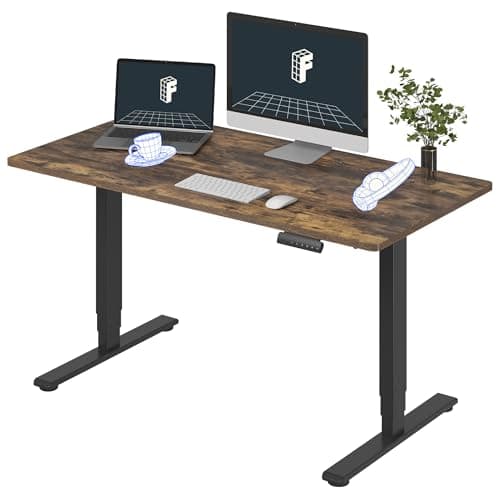
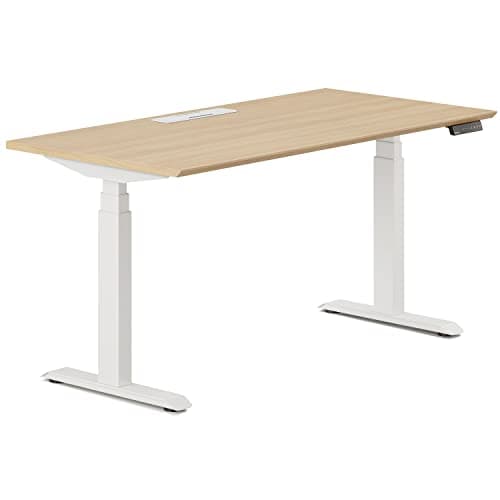
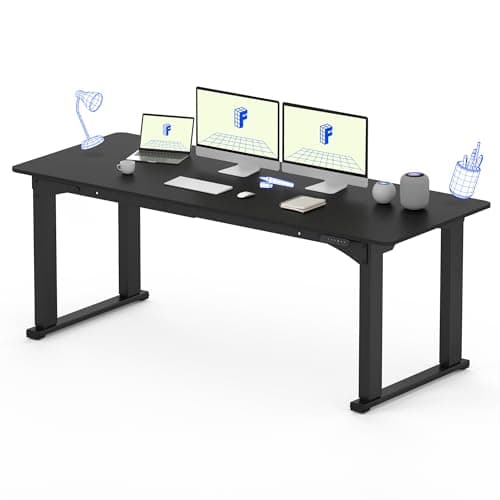
A 55-inch mainstream desk, a 48 by 30 inch desk that prioritizes depth, and a 78 by 32 inch desk for people who genuinely need the surface.
Three-stage legs, dual motors and four memory presets under a one-piece 55" top, at the price most two-stage desks ask. The 220 lb rating and the five-year frame warranty are what you give up.
Best middle ground on price and warranty
A 275 lb rating and a 27" lift range behind Branch's 10-year desk warranty, sold as one finished desk. It sits between the mass-market and premium tiers on every axis, which is exactly its appeal.
Best stability at six feet
The answer to the problem a wide top creates rather than solves. Four legs put support under the span a two-leg frame leaves unsupported, and it arrives as a finished 78" x 32" desk rather than a frame you have to pair a top with.
The span problem past 70 inches
On a two-leg frame the legs sit inboard of the ends of the top, which leaves a stretch of desktop bridging the gap with nothing underneath. At 55 inches that stretch is short enough that a one-inch laminated top handles it. At 72 inches it is several feet.
The effect is perceived movement rather than failure. Mass sitting high above the deck and far from the legs acts as a lever, so a small deflection becomes a visible screen sway — and every telescoping frame is least rigid at full extension, so it is a standing-height problem more than a seated one.
Three ways out, in order of how much they help:
- Four legs. Removes the span instead of shortening it. The FlexiSpot E6Q Premium and the 4-Leg 78x32 both do this, and the cost is the floor space the second pair of legs occupies — which is exactly where a walking pad or a rolling cabinet wants to be.
- A thicker or solid top. Available directly on a frame-only build, and the main reason to consider one.
- Get the screens onto a clamped arm so their weight transfers to the stiff rear edge near a leg rather than into the middle of the span. How much that actually helps is worth reading before assuming it solves everything, and the free fixes matter too.
The room measurements people skip
Four numbers, none of which appear on a desk listing.
- Wall length minus clearance. Leave a few inches at each end. A desk that fits a wall exactly is a desk you cannot get behind to route a cable.
- What is above the desk, at standing height. A shelf, a window header, a sloped ceiling or a wall cabinet. A sit-stand desktop rising to 48 inches will meet anything hanging lower than that, and so will a monitor on top of it. This is the single most overlooked measurement in the category.
- Door and corridor width. These desks arrive in large boxes and a 78-inch top does not turn a tight corner. Check the box dimensions, not the desk dimensions.
- Floor depth in front of the desk. You need somewhere to stand, and if a mat or a walking pad is part of the plan, that floor is already committed.
How to need less desk
If the room will not take the desk the table above recommends, these three moves shrink the requirement rather than the comfort.
A monitor arm. Removes the stand base and pushes the panel back over the rear edge, typically recovering three to five inches of working depth — which turns a 27.5-inch desk into something closer to a 30-inch one in practice. It is the cheapest square footage you can buy, and whether your desk can take one comes down to the rear clamp edge.
Get the storage off the floor and off the top. A rolling cabinet frees the desktop, and running one cable to the wall removes the tangle that eats the back of every desk.
Consider a converter instead. If the room genuinely will not take a sit-stand desk of the right size, a converter on your existing desk is the alternative — although it consumes depth rather than adding it, which is the trade-off the converter page is honest about. And when you are ready to size a desk properly, the full seven-step process puts size at step six for a reason: height range eliminates desks faster.
No desk on this page has been measured here. Every dimension above is the manufacturer's or the retailer's published figure, cited below; the viewing distances and minimum sizes are reasoning from those published dimensions rather than measurements of our own.