The short answer
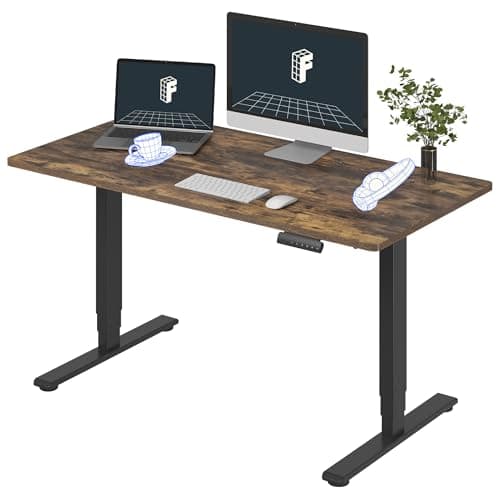
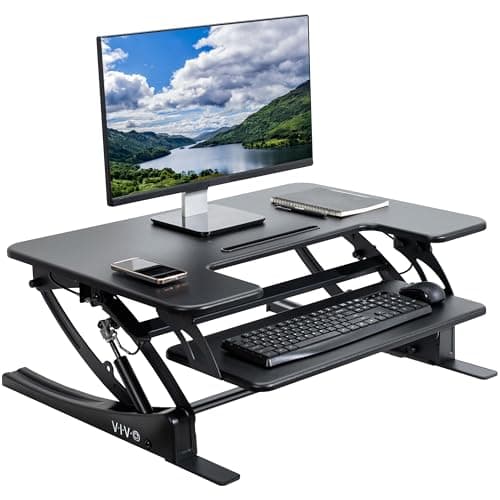
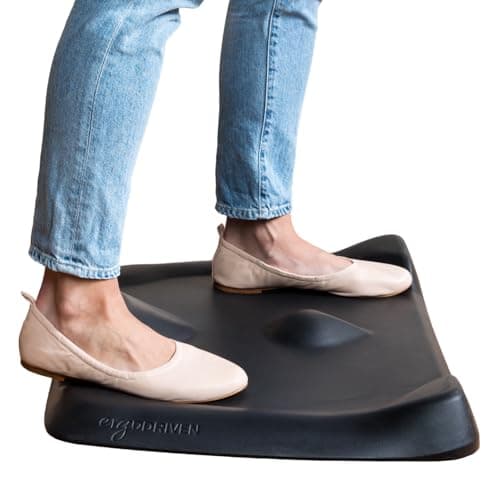
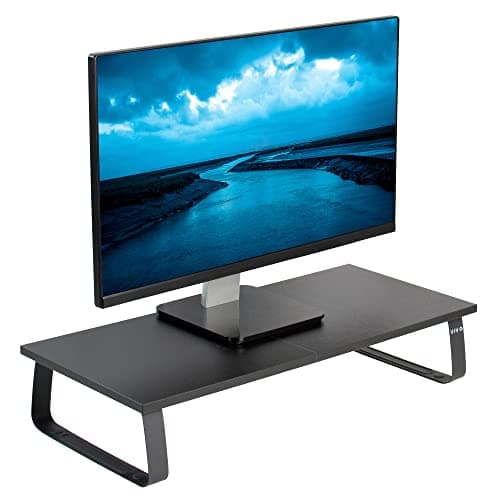
Spend in this order: the height mechanism first, then something under your feet, then your screen height. If you already own a desk, the cheapest first purchase is a spring converter such as the VIVO 32-inch — 6.5 to 17 inches of lift, 33 lb on the platform, no power cable. If you do not own a desk, the cheapest thing that is genuinely a sit-stand desk is the FlexiSpot E6, with three-stage legs and a 23.6 to 48.8 inch range. Then a mat: the Topo Mini is 25.2 by 19.2 inches of the same foam as the full-size Topo with the same 16-year warranty. Then a fixed riser if your monitor sits too low. Two upgrades cost nothing at all, and they come before any of it.
The spending order
Every item in a standing setup fixes a different problem, and the problems are not equally urgent. Buy in the order that removes the worst one first and you can stop whenever the money runs out with a setup that works.
- The two free fixes (measure yourself; raise what you already own).
- The height mechanism — a converter if you have a desk, a desk if you do not.
- Something under your feet.
- Screen height.
- Cables, seating and everything else, later.
Step 0: the two free ones
Measure yourself. Your standing elbow height determines whether any of these products will work for you, and getting it wrong is the most expensive mistake available. The height calculator gives you a seated and a standing number in about a minute. Write both down; every spec you compare from here is measured against one of them.
Test standing at all. A counter or a high shelf for a week costs nothing and answers the only question that matters — whether you will actually do it. The alternatives page lists the other free routes.
Step 1: the height mechanism
This is where the money goes, and the right answer depends on one thing: whether you already own a desk you like.
If you do, buy a converter. The VIVO 32-inch gives 6.5 to 17 inches of lift on dual pneumatic springs with a touch height lock, 33 lb on the desktop and 4 lb on the keyboard tray, on a 32 by 22 inch platform. Check your desk depth first — a 22-inch-deep platform on a 24-inch desk leaves almost nothing in front of you.
If you do not, buy the desk and skip the converter entirely. A cheap desk plus a converter costs more than the cheapest real sit-stand desk and does less. The FlexiSpot E6 is the cheapest three-stage option we rank, and the cheapest-desk ladder shows what sits below it.
Step 2: the floor
The cheapest meaningful upgrade in the whole category, and the one people skip. Standing still on a hard floor is what makes hour three uncomfortable — not the standing itself.
The Topo Mini is 25.2 by 19.2 inches, 2.47 inches at its highest point, 4 lb, made of the same non-toxic polyurethane foam as the full-size Topo and covered by the same 16-year warranty. It costs a fraction of any mechanism on this page. Whether you need one at all depends mostly on your floor, and if your feet already hurt, that has its own page.
Step 3: the screen height
Raising the desk without raising the screen just moves the neck problem up two feet. The cheap fix is a fixed riser: the VIVO 24-inch takes 44 lb, which is more than any monitor arm we rank, on a 23.8 by 10.3 inch deck at 4.6 inches tall.
A monitor arm is better — it frees the whole desk surface and repositions in a second — and it is several times the price. The arm-versus-stand comparison is the page that decides it. On a budget, the riser now and the arm later is a perfectly respectable plan.
From the picks
What we'd actually buy
The cheapest real desk, the cheapest mechanism for a desk you already own, the mat, and the cheap fix for screen height.
Three-stage legs, dual motors and four memory presets under a one-piece 55" top, at the price most two-stage desks ask. The 220 lb rating and the five-year frame warranty are what you give up.
The simplest useful converter here. One person, one laptop, one monitor, and it puts the keyboard on its own tier rather than leaving it up at screen height.
Best for small spaces and shorter users
The Topo with four inches trimmed off every dimension and half the weight. Same foam, same sixteen-year warranty, meaningfully less floor.
A shelf on four legs, and the highest-capacity thing on this page by a wide margin: 44 lb, which is more than any arm we rank. It raises a screen by a fixed amount and gives you the space underneath, which is the entire point.
What to defer
- Cable management. It becomes genuinely annoying rather than merely untidy, but zip ties and an adhesive hook solve 80% of it for almost nothing. The full guide is there when you want to do it properly.
- A stool. Worth having, not urgent — you will know within a fortnight whether your legs want one. The stool ranking is the page then.
- A walking pad. The most expensive optional item in this category and the one most often bought before the desk is sorted out. The budget-pad ranking is the honest starting point when you get there.
- Accessories generally. Our own accessory page puts most of them after the desk for exactly this reason.
Three things not to cheap out on
Height range. This is the one spec a cheap product cannot give you back. A desk that will not drop below about 29 inches cannot be sat at, and a converter that stops short of your standing height is a shelf. Both failures are permanent.
The warranty on a mechanism. Anything with a motor or a spring will eventually need the maker to still care. FlexiSpot covers the E6 frame and motor for five years, and VIVO covers its risers and converters for three.
Monitor mounting hardware. The cheapest category on this page to get wrong expensively, because the failure mode is a screen on the floor. The stability guide covers what to check.
The order, one more time
Measure yourself. Test at a counter. Buy the mechanism. Buy the mat. Fix the screen height. Everything else can wait, and a setup bought in this order never has to be bought twice.